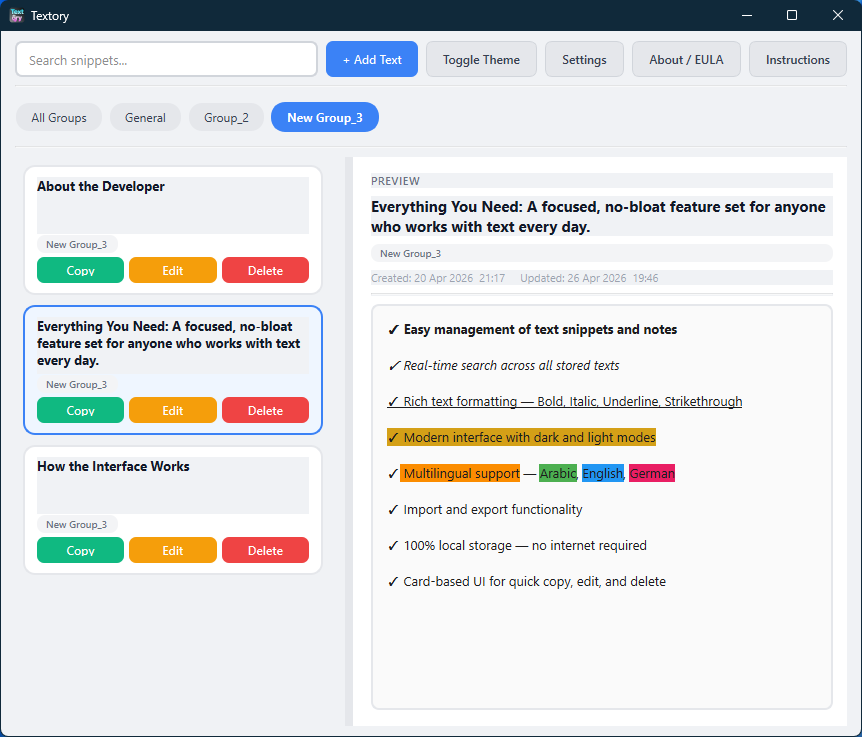
 Main Interface · Light Mode
Textory helps you save, organize, and instantly reuse your text snippets — fast, private, and completely offline.
Textory is a lightweight desktop application built with Python. It gives you a clean, organized space to store and manage reusable text snippets — responses, code notes, templates, and more — without any cloud service, account, or internet connection required.
Lightweight and native. Runs directly on your desktop without background services or heavy runtimes.
Your data never leaves your device. No accounts, no sync, no cloud — just your files, on your machine.
Copy, edit, and search in seconds. Optimized for professionals who deal with repetitive text every day.
English, German, and Arabic — with proper right-to-left layout support for Arabic users.
A focused, no-bloat feature set designed for people who work with text every single day.
Each snippet is stored as a card. You can save, edit, copy to clipboard, and delete cards with a single click. Cards display a title, a preview of the content, and quick-action buttons — making it fast to find and reuse what you need.
Start typing and results appear instantly. The search filters across all stored titles and content in real time, so there's no need to scroll through a long list to find a specific snippet.
Organize your snippets into custom groups. Assign any card to a group and filter by group to quickly narrow down the list — ideal when you have dozens of snippets across different topics or projects.
Click a card to load its full content in the right/left-side panel without opening the editor. This lets you read the complete text and decide whether to copy or edit — without any extra windows in the way.
All formatting is preserved when copying and round-trips correctly on edit — what you write is what you paste.
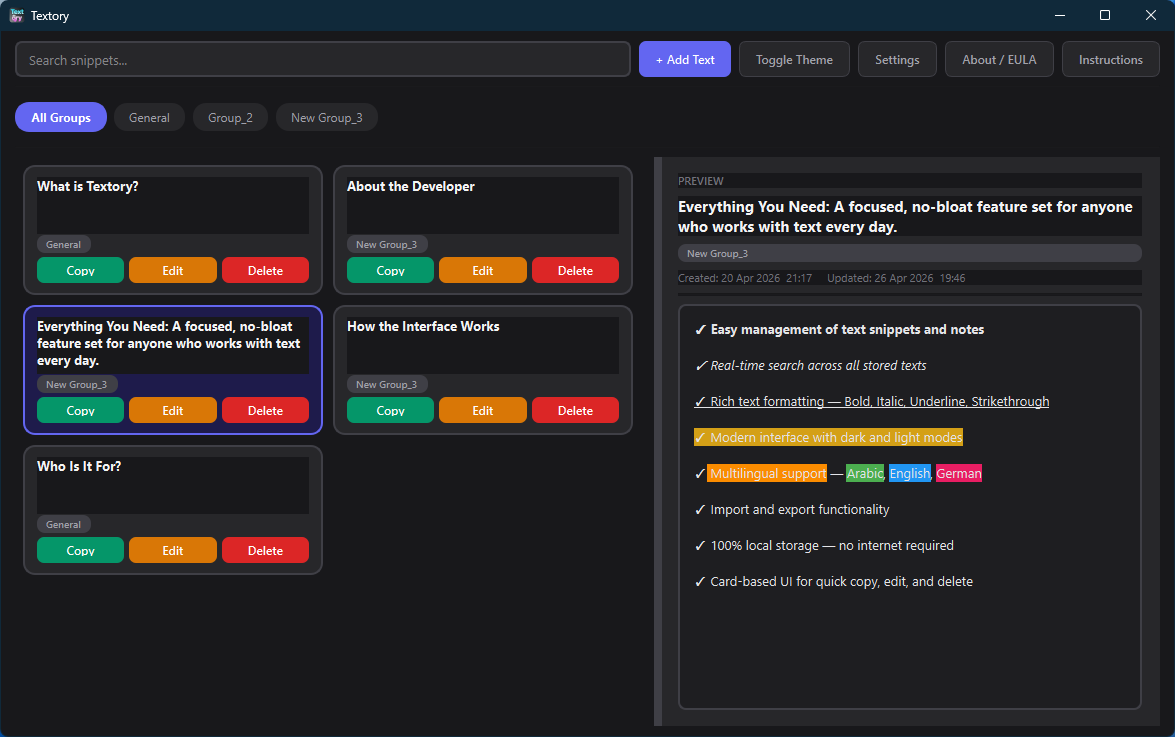
Switch between a clean light interface and a comfortable dark theme. The preference is saved automatically and applied on the next launch.
Textory includes an in-app instructions page. New users can learn how to use all features without searching for external documentation — everything is explained inside the application itself.
Textory follows a clear, predictable layout. Every window has a single purpose — no hidden menus, no cluttered toolbars.
The main window displays a scrollable list of all your cards. On the other side is a full-content preview of the selected card. A search bar is located at the top, and group filters allow you to instantly narrow the view. Buttons for adding, copying, editing, and deleting are always visible and clearly labeled.
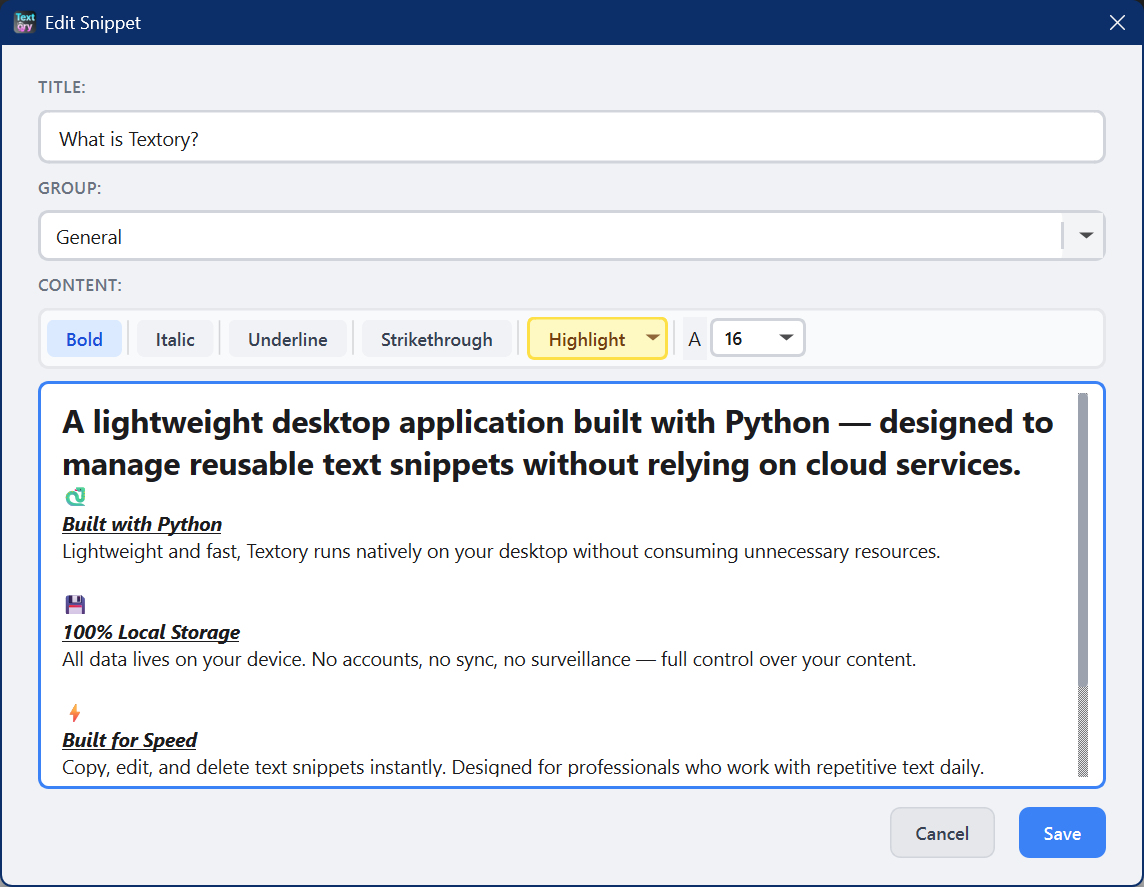
A focused editing window with a title field, a group selector, and a rich text editor. The formatting toolbar gives you Bold, Italic, Underline, Strikethrough, and Highlight controls. Once saved, the card appears immediately in the main list.
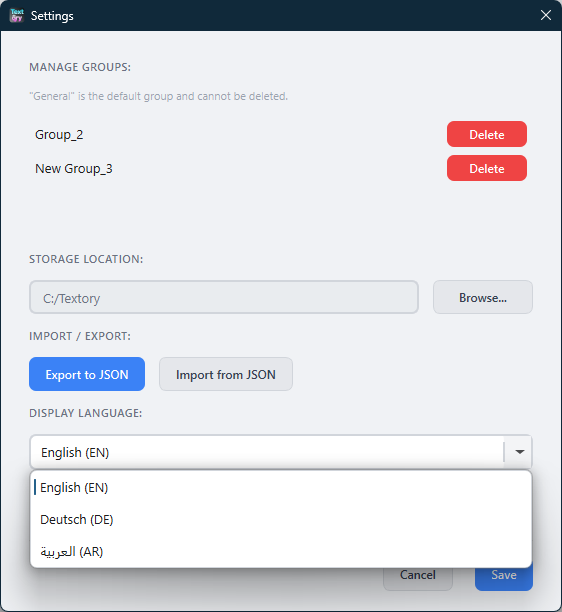
A clean settings panel lets you change the display language, toggle between light and dark mode, and set your username. Changes apply instantly — no restart required for most settings.
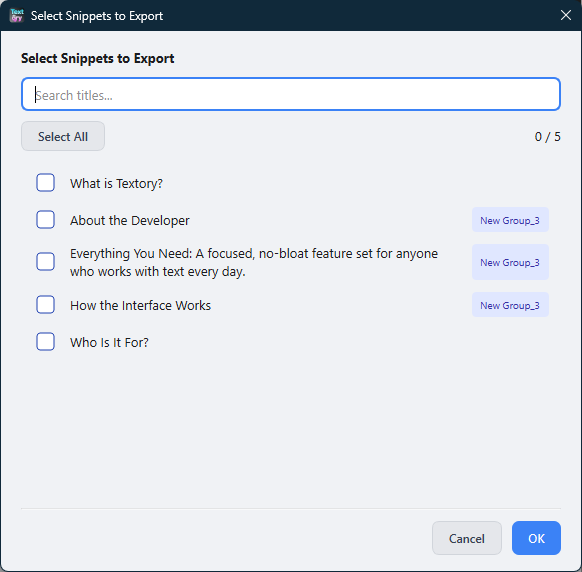
The import dialog shows all available entries from a file. You can search within them, select individual items, and choose how to handle duplicates. Export works the same way — select what you want to share or back up, and save to a file.
A quick look at Textory's clean, focused interface. Click any image to enlarge it.
Textory is built for anyone whose daily work involves repeating the same text over and over. If you find yourself copying from a previous chat, an old document, or a sticky note just to paste it somewhere else — Textory is for you.
Store standard replies, troubleshooting steps, and escalation templates. Copy and send in one click.
Keep code snippets, terminal commands, boilerplate blocks, and configuration templates always at hand.
Maintain consistent, professional replies. Reduce response time without sacrificing quality or tone.
Save email templates, meeting agendas, standard clauses, and form text for fast reuse throughout the day.
Organize notes, quotes, ideas, and personal reference material in one tidy, searchable place.
Textory does not connect to the internet. All your snippets are stored locally in files on your own machine. No analytics, no telemetry, no accounts — and no way for anyone else to access what you store. It's your content, completely under your control.
Textory doesn't try to do everything. It does one thing well: manage reusable text, quickly and privately.
Small install size, minimal system footprint. Textory runs quietly without hogging memory or slowing your machine down.
No internet required — not for setup, not for features, not ever. Works in restricted environments, air-gapped systems, and on the road.
Search is instant. Copy is one click. The interface is direct — open Textory, find what you need, and close it in seconds.
Every design decision was made with daily, real-world use in mind. Not a demo — a tool that earns a permanent place in your workflow.
Get the latest version directly from GitHub. Free for personal use — no account required.
Also available on GitHub →
Textory is distributed under an End User License Agreement (EULA). The software has no technical restrictions — but please use it responsibly and within the terms below.
The software is provided "AS IS" without warranties of any kind. The developer is not responsible for data loss or damages arising from use.
By using Textory, you accept full responsibility for the content you store in the application. The developer is not liable for data loss, misuse, or any damages resulting from use. Textory must be used in a legal and ethical manner at all times.
The software is used at your own risk. The developer does not guarantee that Textory will function without error in all environments, hardware configurations, or operating system versions.
Textory was developed by Nazir Amr with a clear goal: provide a simple, reliable way to manage reusable text — without unnecessary complexity or external dependencies.
The idea came from real, everyday work where speed, consistency, and organization matter. Instead of relying on cloud-based tools or bloated platforms, Textory is designed to work locally, giving users full control over their own data.
Every part of the application is built with practicality in mind — the lightweight structure, the clean interface, and the fast access to stored content. The goal was never to add more features for the sake of it, but to deliver the right features in an efficient and accessible way.
For licensing inquiries, support questions, or general feedback — connect via LinkedIn or fill in the form below and I'll get back to you as soon as possible.